


Ride now, pay later
Split it into predictable monthly payments — 0% APR on approved credit, no hidden fees.
Based on $60.00 at 0% APR. Rates from 0–19.99% APR. Subject to approval.


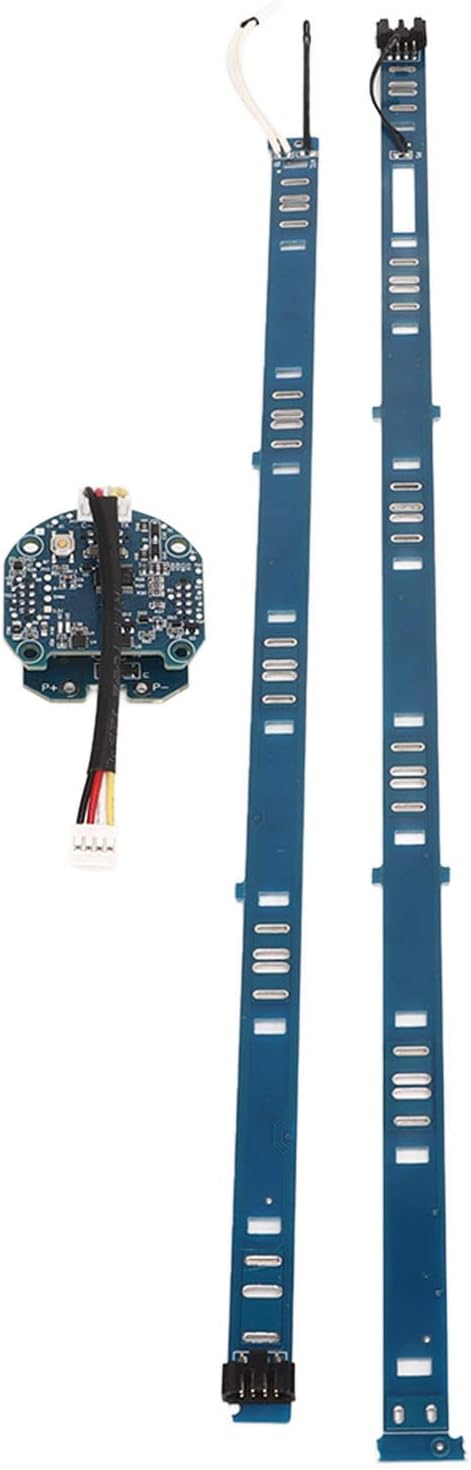
Caractéristiques :
Spécifications
Le forfait comprend :
Impossible de charger la disponibilité du service de retrait


Split it into predictable monthly payments — 0% APR on approved credit, no hidden fees.
Based on $60.00 at 0% APR. Rates from 0–19.99% APR. Subject to approval.
A full year of coverage backed by our own technicians — plus lifetime service on everything we sell. No mailing it away, ever.
Find the same product for less at an authorized Canadian dealer and we'll match it — you keep the local build, tuning and support.
Unedited reviews from riders across the Lower Mainland — and a few who crossed the border just to see us.
I drove all the way from Seattle to bring my daughter's scooter to ProMechBC and I could not be more pleased with both the repairs and the customer service. I will definitely be bringing the scooter North of the border when it needs some love.
Recently had an accident with my Apollo Go — luckily nothing major was damaged, but it still needed some repair and replacement parts. Service was great, and I got my scooter back within a week. :D
The service was incredibly fast, professional and efficient — they fixed my scooter wheel quickly and the quality of the repair was outstanding. Honest, reliable, professional and fast.
verified riders have rated the BMS pour batterie externe et interne de trottinette Ninebot ES. Unedited impressions from daily commutes, rain rides and hill climbs.
No reviews yet — be the first to review BMS pour batterie externe et interne de trottinette Ninebot ES.
Know the local rules for e-scooters, gear up properly, and keep your ride maintained. Our team can walk you through everything at pickup.
Talk to a specialist
Prefer to pedal? Our e-bike range covers commuting, cargo and trail — with the same local service and honest advice.
Shop e-bikesplaceholder